If you have been curious about 432 Hz music, the single best way to explore it is to retune a song you already know. This guide walks through the process in plain steps. No special skills required, no audio engineering background needed.
Why retuning your own music works best
When you compare two unrelated tracks from YouTube — one labeled 432 Hz and one not — you are not really comparing tunings. You are comparing different performances, different recordings, different masterings, and different playback levels all at once. Whatever differences you notice could be caused by any of those factors.
When you retune a song you already know, you hold everything constant except the tuning itself. That gives you a fair comparison and lets you form a real opinion about whether you prefer one version over the other.
What you need
- A favorite song you know well
- A retuning tool (desktop application or browser-based)
- Your normal listening setup (headphones or speakers)
- About twenty minutes of quiet time
Nothing more.
What to expect
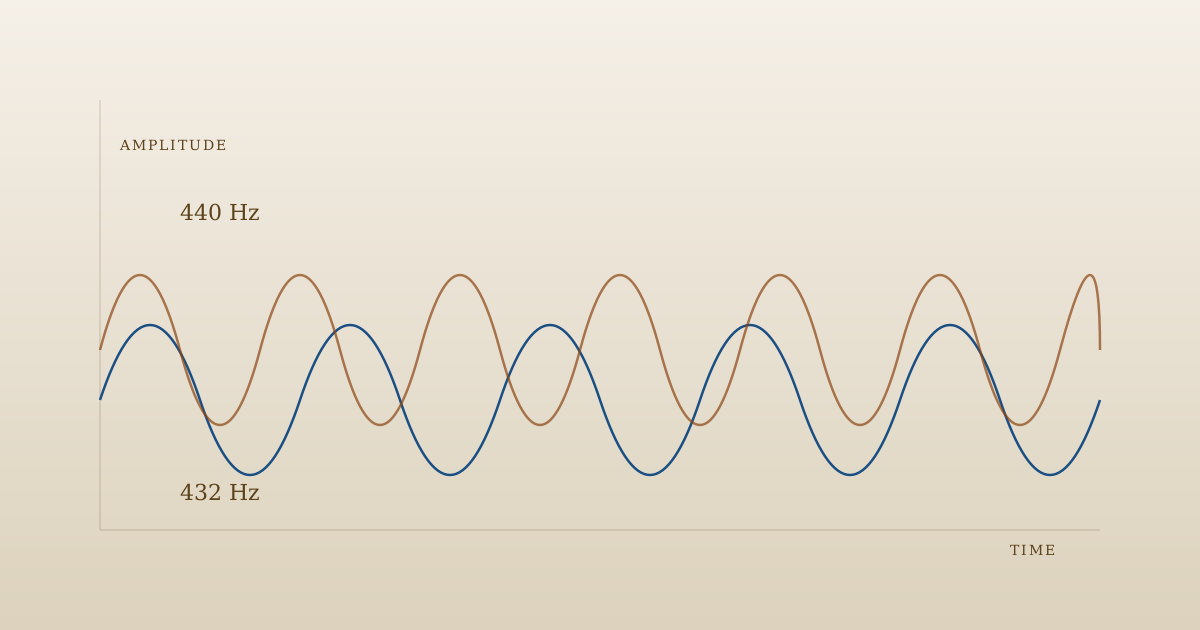
The shift from 440 to 432 Hz is subtle. It is not a dramatic transformation. Most first-time listeners describe the 432 Hz version as very slightly warmer, softer, or more relaxed — but the effect is small and personal. Some people find it meaningful. Others barely notice. Both reactions are normal.
The goal is not to hear something life-changing. The goal is to form an honest opinion about whether you prefer one version over the other for your own listening.
What to listen for
- Does the music feel warmer or cooler?
- Does it seem quieter or more prominent?
- Does your body settle more or less?
- Do you want to keep listening longer in one version than the other?
Write down your reactions, especially in the early sessions. Preferences that feel vague in the moment often come into focus over a few days.
A few common questions
Will retuning damage the song? No. Well-made retuning tools preserve the recording quality carefully.
Do I need to commit to one tuning? Not at all. Many people keep both versions and switch based on mood. Evening listening at 432, daytime at 440 — whatever works for you.
Does it work with all music? The shift is audible on most recorded music. Acoustic and vocal-heavy tracks show it most clearly. Heavily processed electronic music can feel similar at both tunings because of the way the effects are layered.
A simple starting experiment
Try one song, one week. Listen to it at 432 Hz every evening for five minutes. At the end of the week, switch to the 440 Hz version. Notice your reaction. That is often enough to know what you actually prefer.
A desktop retuning tool handles the technical side and lets you build a small library of comparisons over time. No subscription to streaming “432 Hz playlists” needed — you are working with your own music, under your own control.
- 01
Pick a song you know by heart
The comparison only works if you have a reference point. Choose something familiar — a favorite album track, a piece you play often. Avoid unfamiliar material for your first session.
- 02
Note your listening setup
Write down your headphones or speakers, your usual volume, and the room you listen in. You want these to stay identical between comparisons so the only variable is the tuning.
- 03
Open a retuning tool
Use a desktop or browser-based retuning tool. Load the original track, set the target pitch to 432 Hz, and save the retuned version. The process typically takes under a minute.
- 04
Listen to the original first
Play the original 440 Hz version all the way through, at your usual volume. Notice how it sits with you — not analytically, just receptively.
- 05
Switch to the retuned version
Play the 432 Hz version immediately after, at the same volume, on the same headphones. Pay attention to what shifts: does the music feel warmer, softer, more distant, or essentially the same?
- 06
Give yourself space to decide
Avoid forming a conclusion in the first five minutes. Try the same comparison a day or two later, with the same song. Personal taste takes a few sessions to settle.
RetunerPro
It appears in stories where local files and repeat listening matter more than trusting platform labels.
A desktop retuning tool lets you shift your own library, save both versions, and build your own comparison playlist at your own pace.Common reader questions
Do I need special equipment?
No. A retuning tool and whatever headphones or speakers you already own are enough. Expensive audio equipment is not required for this kind of casual listening comparison.
Can I retune any kind of music?
Most recorded music works. Solo instrumental music and acoustic recordings tend to show the shift most clearly. Heavily processed electronic music can feel similar at both tunings.
Is the retuned version lower quality?
Modern retuning tools preserve the original audio quality well. The result is not a lossy or degraded version — it is simply the same recording at a different reference pitch.